In Between the coffee and the inbox, I wrote that the technical setup of this site was a story for another post. Well, this is that post.
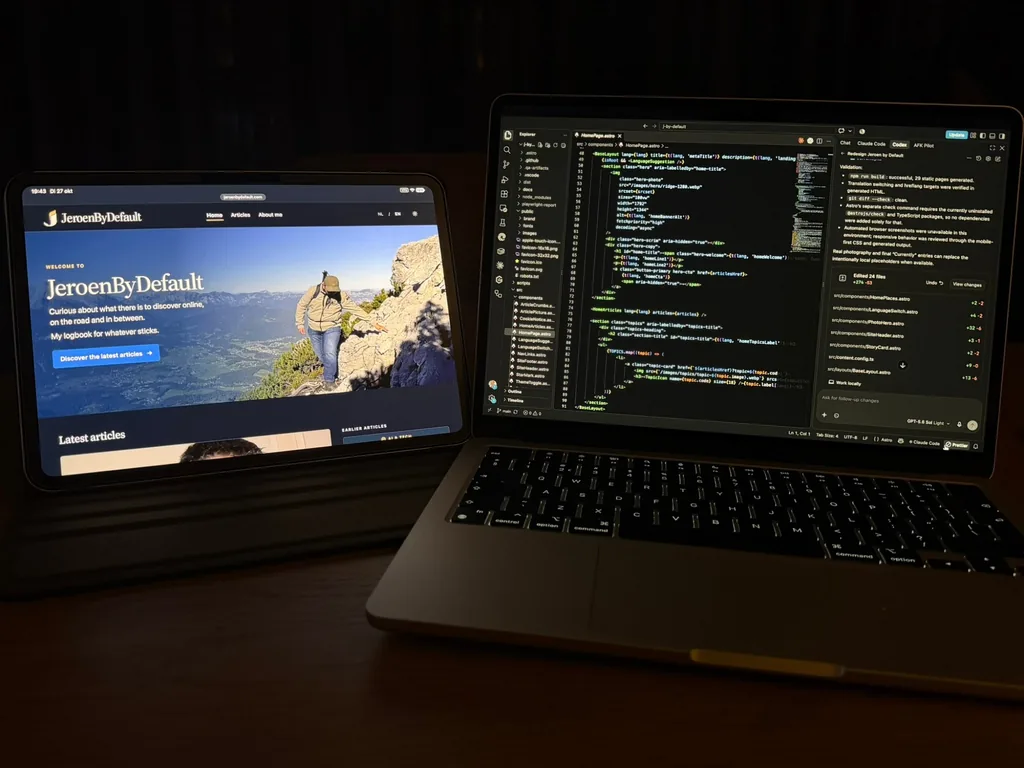
From the outside, JeroenByDefault looks calm. A few stories, some photos, Dribbel and Misty peeking around the corner. But under the hood, more is going on than you might think. I work in IT, and it shows. I simply can’t build a website without wondering what will go wrong if I don’t pay attention.
Why not WordPress
The obvious choice would have been WordPress. Still, I deliberately didn’t go that way. JeroenByDefault is a static website: every page is made in advance and then sits ready as an ordinary file. There is no database running and no admin area anyone can log in to. Fewer moving parts, so less that can break or be hacked.
You could compare it to a book that has already been printed before you open it. The moment you want to read, nothing has to be gathered or typeset again. The page is simply ready.
The site is built with Astro, a framework made for exactly that. I write my stories in Markdown, plain text with a few simple formatting marks. With every change, Astro turns that into a complete website. I write the code in TypeScript, a stricter variant of JavaScript. That doesn’t make every mistake impossible, but for quite a few of them the computer raises its hand before anything goes live.
What strikes me is how small the whole thing is. Besides Astro itself, the site uses just one extension, for the sitemap. There are a few extra tools for development and testing, but they never end up on the site.
An article is more than text
At the top of every article is a small block of details: title, date, language, topic, and the photos with their descriptions. Astro checks that block on every build. Is a date invalid, does a photo lack a description, or does an article have no translation? Then the build stops and nothing goes live.
That sounds strict, and it is. But it means I know for sure that every photo has a description for people using a screen reader. Not because I remember it every time, but because the site enforces it.
Two languages, one story
The site is available in Dutch and in English. Dutch leads: every story starts there, and the English version follows. An English article may have a different title and web address. A fixed key in both versions tells the site which two articles belong together.
If you open the site in Dutch, you simply see the Dutch homepage. If your browser is set to English, a small suggestion appears at the top to go to the English version. A suggestion on purpose, not an automatic redirect. I find it annoying myself when a website decides for me which language I want to read.
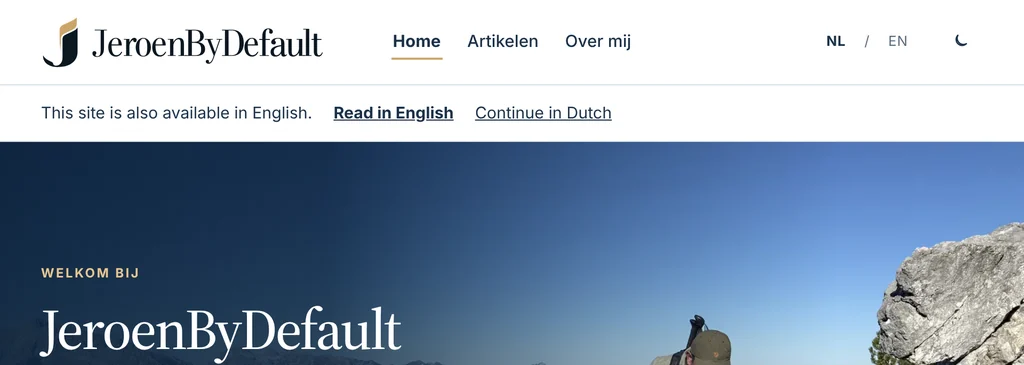
Behind the scenes, search engines are told neatly which pages are translations of each other. And for anyone who still uses an RSS reader, there is a feed for each language.
Static, but not still
A static website sounds as if nothing can move. It’s not that bad. The pages are ready in advance, but your browser can still do things afterwards. On the articles page you can search and filter by topic. That happens entirely in your own browser, using the information already on the page. So no search request goes to a server.
If you turn JavaScript off, all the stories remain available. Only the extras, such as search and switching themes, sit it out. That’s how it should be, I think: technology may add something, but reading a story should always work.
Light, dark, and the details
The site follows your device’s setting: light during the day, dark in the evening if that’s how you’ve set it up. A button in the header lets you choose for yourself. That choice is applied before the page appears on your screen, so in the evening you don’t get a white flash in your face first.
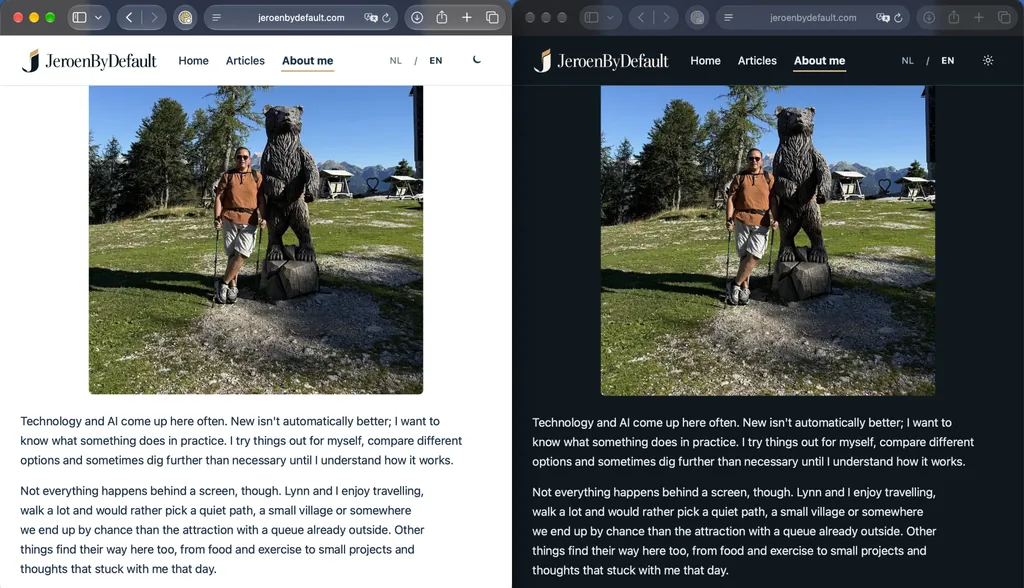
Photos are my own or made by AI, and when they are, it says so. They come in several sizes and use WebP, an image format that keeps files compact. Your browser picks a version that suits your screen. Photos further down a story usually only load when you get close. The first photo loads right away, because it’s in view immediately.
For the headings I use the typeface Source Serif 4. I don’t fetch it from Google; it sits on the site itself, together with the licence that comes with it. The body text uses your own device’s typeface. That reads comfortably and costs no extra loading time.
There are more details like that in the code. If you move through the site with a keyboard, you always see clearly where you are. If you’ve told your device you prefer less motion on screen, the site takes that into account. You won’t see a separate button for it, but it makes a difference if you need it.
And if you share an article on WhatsApp or LinkedIn, you’ll see a preview image of its own for each article. A small detail, but it looks a lot more polished.
No tracking, but a lock on the door
My work is often about governance: who is allowed to do what, where your data lives, and how you keep that under control. Apparently I don’t leave that behind when I get home.
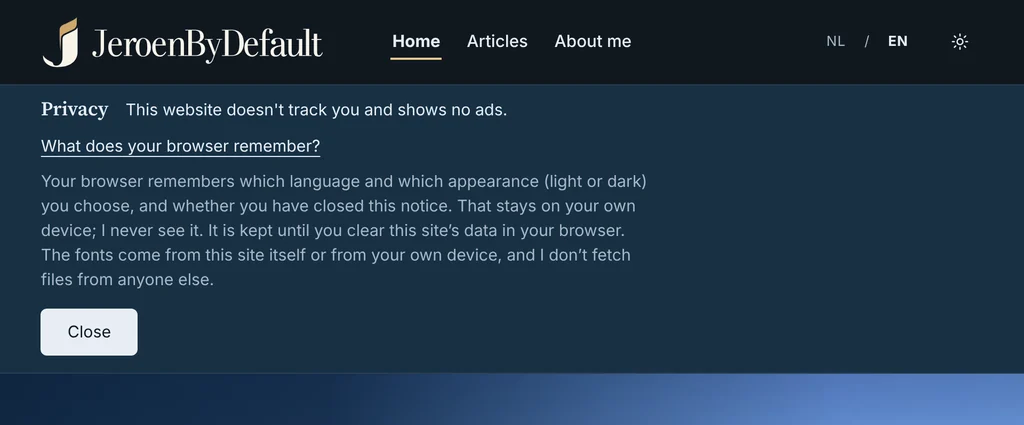
This site doesn’t track you. There are no ads, no analytics package, and no social media buttons quietly watching along. Nothing is fetched from other parties, not even fonts or icons. Your browser remembers only three small things: your choice of light or dark, your language preference, and whether you’ve closed the privacy notice.
On top of that, every page has a Content Security Policy. Think of it as a guest list: the browser only runs code from the site itself or code that is on that list. GitHub Pages, where the site runs, doesn’t let me send those rules as a server setting. That’s why they are in the page itself. After every build, a small script calculates a fingerprint of the scripts and styles that sit directly in the page and puts it on the list. If such a piece of code changes without a matching fingerprint, the browser blocks it.
The automated processes on GitHub are pinned to an exact version too, and a bot reports every week whether there are updates. Such an update also goes through the checks first before it goes live.
Test first, then go live
This is where it gets a little embarrassing. At the time of writing there are five stories on the site, but there is already a whole collection of automated checks running. It does help me sleep better, though.
Everything lives on GitHub. As soon as I push a change, this happens:
- The code is checked for errors in Astro and TypeScript.
- The complete website is built, including the security rules.
- A script checks internal links, images and translation references. If anything is missing, everything stops.
- A set of tests checks dates, translations and the security rules, among other things.
- Only when everything is green does GitHub put the new version live.
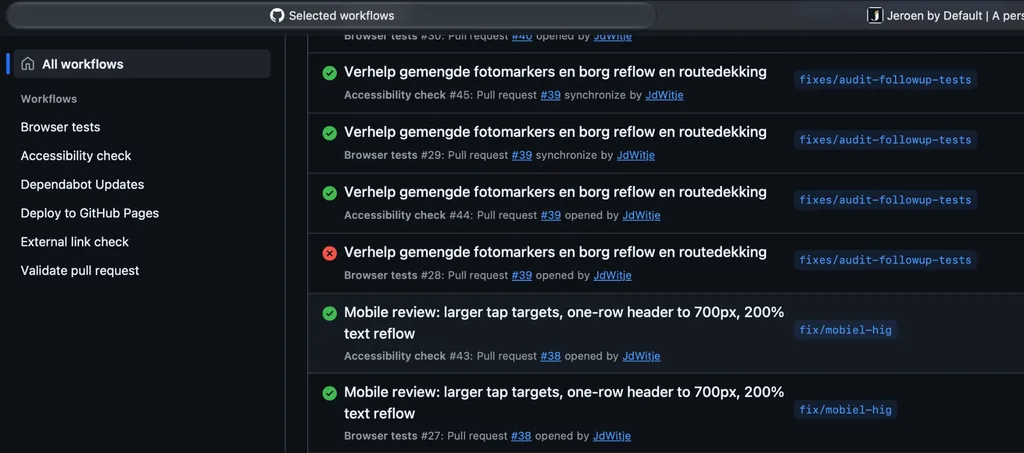
Proposed changes get one more pass. An automated accessibility test looks for problems according to the WCAG guidelines on a fixed set of pages, in light and dark, at phone size and on a large screen. And an automated browser clicks through the most important parts, such as search, filtering and the language switch. Links to other websites are checked once a week.
In October I also had the whole site audited. That turned up a few things I would never have noticed myself. The language button showed “EN”, but a screen reader called it something quite different. That can cause trouble if you say “click EN” with voice control. And the largest photo at the top of an article was loaded later rather than earlier. Both fixed. Later came another round against Apple’s and Google’s guidelines for mobile, so that everything you can tap is big enough for a thumb.
Built with AI, not by AI
To be honest: I didn’t type this site line by line myself. I work in VS Code and let AI do a lot of the programming. First with Codex and a set of Grok agents, each with its own role. These days I do most of it with Claude Code, which works right inside the repository.
What I do myself: decide what happens. The repository has a file with project instructions for the AI. It says, for example, that the site is a personal logbook and not a portfolio, that no fonts from Google get added, and that Dribbel and Misty are plush toys and not real dogs. You don’t want an AI making things up there. The AI isn’t allowed to change the file that puts the site live. Publishing is something I do myself.
Every change goes into a log, with a date and an explanation. That way I can look back later and see why a button suddenly got bigger. And the tests above are my safety net. AI is fast, but not infallible. At least a failing test tells you honestly.
The site is never completely finished. It recently got a new design. But that may be a story for another post.
If you get lost, you’ll be taken care of
Is all of this necessary for a personal blog? Probably not. But something doesn’t have to be useful to be fun. This site is my logbook, but also my playground. A place where I try out things I come across in my work, without a client waiting for it.
And the nice thing about getting everything right behind the scenes is that you don’t notice any of it at the front. You just read a story.
Still type a wrong address? Then you won’t end up at a bare error message. Dribbel and Misty are waiting for you there. Dribbel considers that page his personal responsibility to guard. Misty simply shows you the way back home.